The short answer
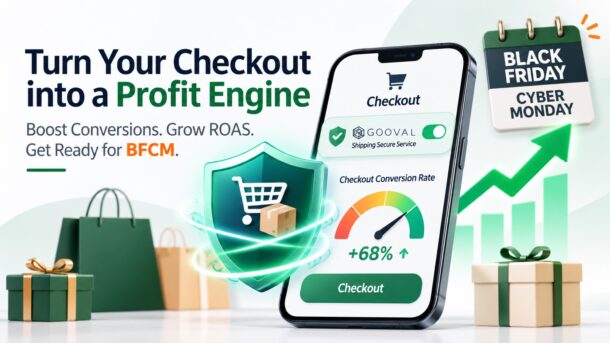
To improve both checkout rate and ROAS (return on ad spend), help the shoppers you already paid to attract complete their purchase with less friction and more confidence, and make each order worth more. In practice, that means six things: show costs upfront, simplify checkout, offer local payment methods, build delivery trust, recover abandoned carts, and increase value per order.
Black Friday (November 27, 2026) and Cyber Monday (November 30, 2026) are close, and ad costs tend to rise during peak season. Before adding more budget to ads, check whether your checkout is leaking revenue.
Two metrics worth understanding
| Metric | What it measures | Common formula |
|---|---|---|
| ROAS (return on ad spend) | Revenue generated for each dollar spent on ads | Ad-attributed revenue ÷ ad spend |
| Checkout conversion rate | Share of shoppers who start checkout and complete the purchase | Completed orders ÷ sessions that reached cart or checkout |
| Break-even ROAS | The minimum ROAS needed to avoid losing money on ads | 1 ÷ gross margin |
Why are they connected? ROAS divides revenue by ad spend. Every ad click has already been paid for, and if a shopper drops out at checkout, that click produces no revenue. With ad spend unchanged, a better checkout rate raises the numerator.
A simple illustration (hypothetical numbers): A store spends $10,000 on ads and generates $30,000 in ad-attributed revenue, so ROAS is 3.0. If checkout improvements help the same traffic complete 10% more orders, revenue rises to $33,000 and ROAS rises to 3.3, with no extra ad spend.
Why shoppers leave at checkout
Cart abandonment is common across online stores. [Cite the latest average cart abandonment rate from the Baymard Institute, with a link to the source, and verify the current figure before publishing.] In Baymard’s research, commonly cited reasons include:
- Extra costs (shipping, taxes, fees) that appear late in checkout
- Being forced to create an account
- Delivery that seems too slow, or an unclear delivery date
- Not trusting the site with payment details or the order
- A checkout process that is too long or complicated
- Not finding a preferred payment method
Most of these are experience and trust issues, not product issues, which means they can be improved.
Six practical steps
1. Make total cost clear early. Show estimated shipping and taxes on product or cart pages so the total is never a surprise at the last step. If you offer free shipping above a threshold, show how much more the shopper needs to qualify. This reduces drop-off and can also raise order value.
2. Simplify checkout. Enable guest checkout, cut unnecessary fields, support address autofill, and test the full flow on mobile. Much paid traffic arrives on phones, so every extra step costs you.
3. Offer local payment methods. Match payment options to each market, such as cards, PayPal, Apple Pay, Google Pay, and local wallets or buy-now-pay-later options. The closer checkout is to a shopper’s habits, the less likely they are to abandon.
4. Build delivery trust. Holiday shoppers are often buying gifts with a hard deadline. State your shipping cutoffs and estimated delivery dates clearly, and give shoppers a plain answer to “what happens if something goes wrong?” This matters most in peak season, when carrier networks are stretched and the risk of delays, lost parcels, and porch theft rises.
5. Recover abandoned carts. Follow up with shoppers who left an email or phone number through abandoned-cart emails, SMS, or retargeting ads. These shoppers have already shown intent, so reaching them often costs less than acquiring a new customer. Watch frequency to avoid being intrusive.
6. Increase value per order. Optional add-ons at checkout, such as shipping protection, expedited delivery, or return vouchers, can lift revenue per order without extra ad spend. Keep them transparent and opt-in, and test before scaling, because over-promoting can lower conversion. Also check how this revenue is counted in your attribution setup, since it may not be included in ad-attributed revenue.
How Gooval Helps Independent E-commerce Sellers
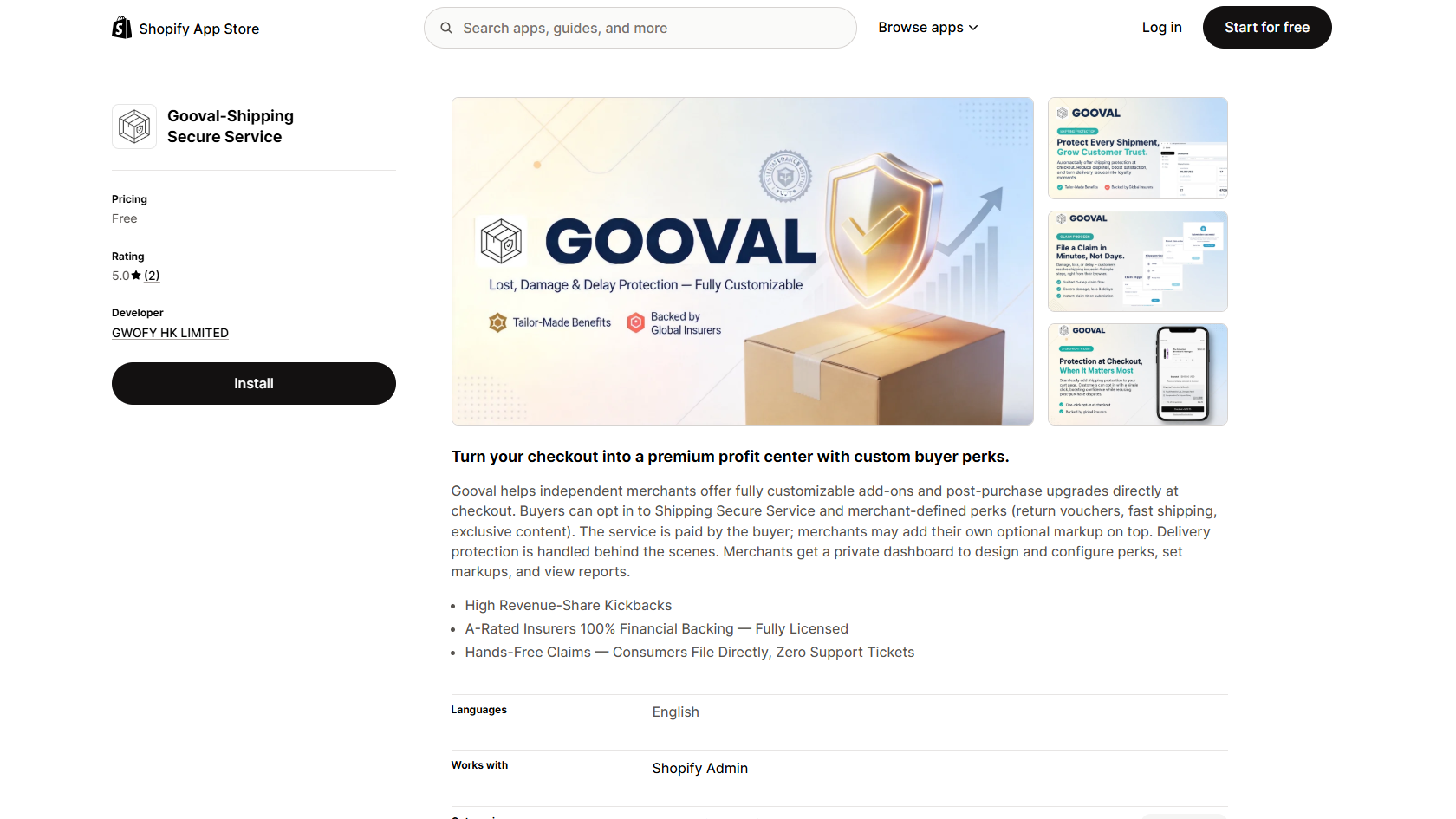
Gooval offers a ready-made option for steps 4 and 6. Gooval is a shipping secure service plugin for independent merchants. It embeds seamlessly into the checkout page and gives shoppers basic benefits when a package is lost, damaged, delayed, or theft/porch piracy, underwritten by leading international insurers.
For merchants, the main points are:
- Shopper-paid, opt-in protection: The shopper pays for the protection, and merchants can add their own optional markup and earn a share of the revenue.
- Claims filed directly by customers: Your team does not have to handle each claim, which can ease support load during peak season.
- Customizable perks: Beyond shipping protection, merchants can configure perks such as return vouchers, fast shipping, or exclusive content.
- Shopify&OpenAPI: Gooval is now available on the Shopify App Store with free installation and also supports integration via OpenAPI.
From a ROAS perspective, this type of solution may help in two ways: a clear protection offer can add confidence at checkout, and the revenue share can raise the value of each order. Results will vary by store, audience, and presentation, so we recommend testing on a share of traffic before rolling it out fully.
Pre-BFCM checklist
- Add up last peak season’s costs from delivery issues: reships, refunds, and support hours.
- Check that product, cart, and checkout pages show shipping, taxes, and estimated delivery dates.
- Test the full mobile checkout and note where shoppers drop off.
- Confirm guest checkout is on and your payment methods match your target markets.
- Set up abandoned-cart emails or SMS, and review the copy, timing, and frequency.
- Make sure every paid add-on is opt-in and clearly explained.
- Run a small-traffic test before the rush, then scale what works.
- Track ROAS, checkout conversion, average order value, add-on attach rate, and support ticket volume together, not any single metric alone.
Conclusion
A higher ROAS doesn’t come only from cheaper clicks. It also comes from turning more of those clicks into completed orders, and protecting the value of each one. Before Black Friday, shift some attention from the ad dashboard to checkout: are costs clear, is the flow simple, do shoppers feel confident, and do you have a good answer when an order goes wrong?
Frequently asked questions
Q1: What is the difference between checkout conversion rate and overall conversion rate?
A1: Overall conversion rate usually measures the share of all visitors who buy. Checkout conversion rate looks only at shoppers who added to cart or started checkout and shows how many paid, so it points more directly at checkout problems. Definitions vary between tools, so pick one and track it consistently.
Q2: What is a good ROAS?
A2: There is no universal benchmark. It depends on your gross margin. Break-even ROAS is 1 divided by gross margin, so a 40% margin needs a ROAS of at least 2.5 just to break even. Your real target should also account for operating costs and repeat purchases.
Q3: Does a better checkout rate always improve ROAS?
A3: With ad spend unchanged, a higher checkout rate usually means more orders from the same paid traffic, which tends to lift ROAS. But if the improvement comes from organic or returning customers, it may not show up in ad-attributed revenue.
Q4: Can adding a protection option at checkout lower my conversion rate?
A4: It can, depending on how it is presented. Keep it opt-in, explain it clearly, and run an A/B test comparing checkout conversion, order value, and support tickets before rolling it out.
Q5: What is Gooval’s Shipping Secure Service?
A5: It is a shopper opt-in protection service covering lost, damaged, delayed, and stolen orders. Merchants install it through Shopify and can set their own markup and perks. For full terms, refer to Gooval’s website at gooval.io.
About Gooval
Gooval is a shipping secure service plugin designed for independent e-commerce stores, seamlessly integrated into the checkout page. Its Shipping Secure Service allows customers to voluntarily purchase the service at checkout, covering issues such as loss in transit, damage in transit, delivery delays, and theft / porch piracy.
Merchants can also use Gooval to customize and configure additional benefits that enhance the shopping experience and encourage customer loyalty, such as discount coupons, free shipping, and expedited shipping.
In addition, merchants can customize the markup added to the base service rate. The final service price consists of the base rate plus the merchant-defined markup, with 100% of the markup revenue going directly to the merchant, creating an additional revenue stream for their business.
Claims are submitted directly by consumers, relieving merchants’ customer support teams of the need to handle each case individually.
Learn more at www.gooval.io.
How to get started: Gooval can be installed by searching “Gooval” directly in the Shopify App Store, or integrated through the OpenAPI (API documentation). If you have any questions, contact contact@gooval.io.